
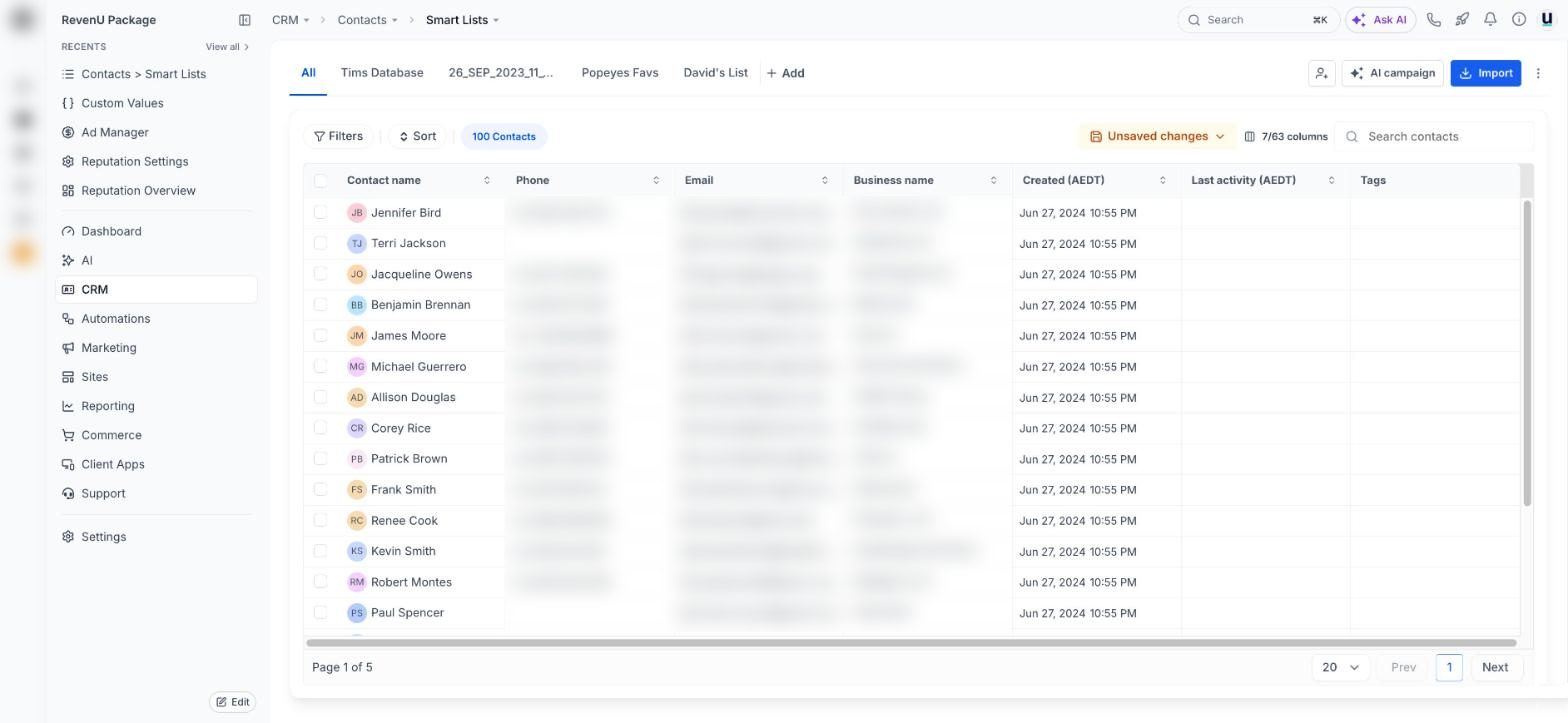
Contacts and smart lists
CRM› Contacts› Smart ListsChecked 29 Oct 2026
Every contact, filtered and saved into lists you can message, tag or put through a workflow in one go.
Tap a number to see what it doesreal screen, demo account
Jobs on this screen
What people come here to do
77
Smart lists: segment your contacts and why it pays
Save a filtered view of your contacts (like 'customers from last year who haven't booked') and message only them.
- 1Why segment
- 2Open contacts and filter
- 3Segments worth saving
10 min · 6 steps
102
Text a group of clients at once
Send one text to a filtered list, properly.
- 1Pick the list
- 2Send the text
- 3Check the cost first
5 min · 3 steps
87
Add a group of existing contacts to a workflow
Put a whole list through a sequence at once, like a reactivation campaign.
- 1Pick the contacts
- 2Add to workflow
- 3Check the workflow is published
5 min · 3 steps
25
Import your customer list
Bring your existing customers in from a spreadsheet in a few minutes.
- 1Start the import
- 2Choose what you're importing
- 3Upload and choose new or update
10 min · 6 steps